Design ideas
Smart home in Singapore: what to plan during your renovation
The smart part of a smart home is easy to add later; the wiring, network and layout are not. Plan power, data and Wi-Fi coverage during renovation, then choose interoperable, security-labelled devices.
 Rayden Nyoe4 min read
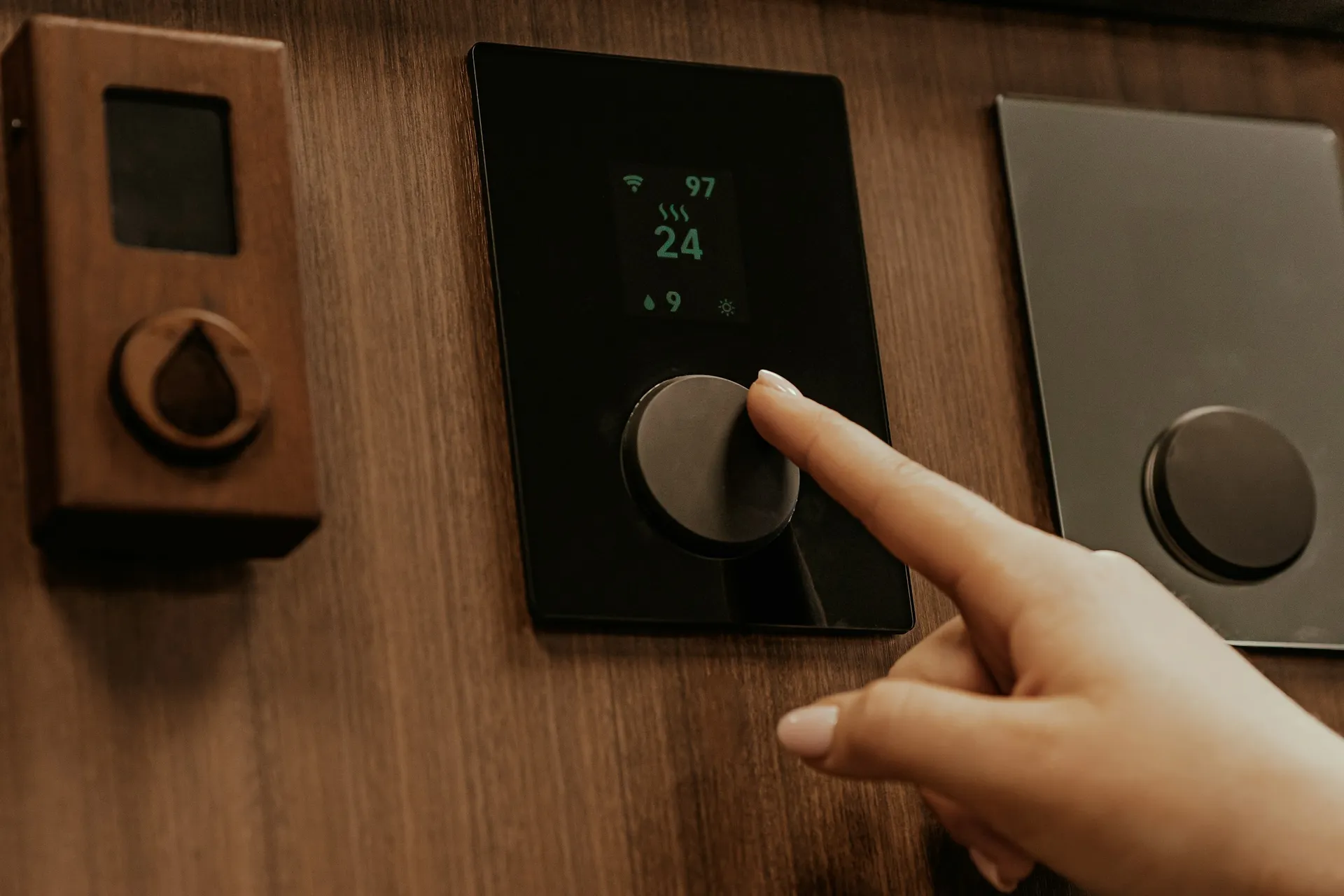
Short answer: the devices are the easy part of a smart home; the wiring, network and layout are what you must get right during renovation. Plan power and data points, Wi-Fi coverage and switch boxes before carpentry and ceilings close up. Then pick devices that work together (look for the Matter standard) and that are built with security in mind (look for the Cyber Security Agency of Singapore's cybersecurity label).
Decide what you actually want to automate
Start with problems, not gadgets. Common, genuinely useful features in Singapore homes are:
- Lighting scenes and remote control of lights.
- Air-conditioning control so you can cool a room before you get home.
- Smart locks on the main door or gate.
- Cameras or video doorbells.
- Robot vacuums, which need a docking point and a clear floor plan.
- Curtain or blind motors.
- Smoke detection that alerts your phone.
Write down which rooms need which features. That list drives every wiring decision below.
Wiring decisions you cannot easily change later
- Power points in the right places. Motorised blinds, robot vacuum docks, smart displays, cameras and Wi-Fi access points all need power. Mark them on your electrical plan.
- Switch boxes for smart switches. Some smart switches need particular wiring in the switch box. Choose your switch range before the electrician starts and ask what it needs.
- Data points and a network cabinet. A wired connection to the TV, study and each Wi-Fi access point is more reliable than wireless alone. A small ventilated cabinet for the router and network switch keeps things tidy.
- Ceiling access. Leave access panels in false ceilings where hubs or access points sit. See false ceilings.
All electrical works must be carried out by an EMA licensed electrical worker, as HDB requires for flats. For older flats, our post on rewiring a resale HDB flat explains when a full rewire makes sense.
Get the Wi-Fi right first
A smart home is only as reliable as its network. Concrete walls in HDB flats and condos weaken Wi-Fi, so plan two or more access points (or a mesh system) for anything beyond a small flat, with wired backhaul if you can. Place them centrally and high, not inside closed carpentry.
Choose devices that work together: Matter
Mixing brands used to mean several apps that did not talk to each other. Matter is a smart home standard published by the Connectivity Standards Alliance, whose members include Amazon, Apple, Google, Samsung and IKEA. The Alliance describes it as an IP-based protocol under which devices from multiple brands work natively together, running on Wi-Fi and Thread networks with Bluetooth Low Energy used for setup.
In practice, choosing Matter-certified devices where possible gives you more freedom to switch apps or voice assistants later.
Choose devices built with security in mind: the CLS label
The Cybersecurity Labelling Scheme for IoT (CLS(IoT)) from the Cyber Security Agency of Singapore rates consumer smart devices by their security provisions. CSA explains the levels as:
- Level 1: basic requirements such as unique default passwords and software updates.
- Level 2: meets the mandatory requirements of international standards.
- Level 3: designed with security-by-design principles, with software assessed by approved third-party labs.
- Level 4: has also undergone structured penetration testing by approved labs.
The scheme started with Wi-Fi routers and smart home hubs and has been extended to all categories of consumer IoT devices, such as IP cameras, smart door locks and smart lights. The label shows the level and a registration ID you can check on CSA's product list. It is especially worth checking for cameras and door locks.
Smart safety
A connected smoke detector is one of the most useful smart devices. SCDF recommends smoke detectors for primary home protection and built-in batteries rated for 10 years, and a Home Fire Alarm Device is mandatory for new homes and for homes doing fire safety works, where plans are submitted on or after 1 June 2018.
Smart features by room
- Living room: lighting scenes, motorised curtains, a wired TV point. Our home lighting design guide covers dimmable circuits.
- Bedrooms: aircon scheduling, bedside scene switches. See aircon systems.
- Kitchen: a power point for a smart display, leak sensors under the sink.
- Main door: smart lock and doorbell camera, with the fire and privacy rules of your building in mind. Condo owners should check MCST by-laws first; see our condo renovation rules post.
- Study: wired data and enough sockets. See our work-from-home study room guide.
Budget and timing
You do not need to buy every device during renovation. The money that matters now is in the wiring, data points and access points, which are cheap during works and disruptive afterwards. Devices can follow over months as you learn what you use.
Smart home planning checklist
- List the features you want, room by room.
- Choose your smart switch range before electrical works begin.
- Mark power and data points for every device on the plan.
- Plan two or more Wi-Fi access points with wired backhaul.
- Prefer Matter-certified devices and check CLS(IoT) labels.
- Leave ceiling and cabinet access for hubs and routers.
How JIAHOME helps
We include power, data and lighting points in our 2D layouts, so your contractor prices and builds the smart home infrastructure you actually need. Our quotation lists every item without prices, so any contractor can quote the same scope. See our services.
FAQ
Frequently asked questions
What should I plan for a smart home during renovation?
Plan power points, data points, smart switch wiring, Wi-Fi access points and ceiling access before carpentry and ceilings close up. Devices can be added later.
What is Matter?
Matter is a smart home standard from the Connectivity Standards Alliance that lets certified devices from different brands work together, over Wi-Fi and Thread.
How do I know a smart device is secure?
Look for the Cyber Security Agency of Singapore's CLS(IoT) label. It shows a security level from 1 to 4 and a registration ID you can check on CSA's product list.
Who can install smart switches in an HDB flat?
Electrical works must be carried out by an EMA licensed electrical worker. Choose your switch range first so they can confirm the wiring it needs.