Design ideas
3D interior design rendering: why seeing your home before you sign matters
A 3D rendering lets you see the proposed design before any work starts, so you can catch layout, proportion and colour problems while changes are still free. Treat it as a preview, not a promise, and tie it to drawings and a material list.
 Rayden Nyoe4 min read
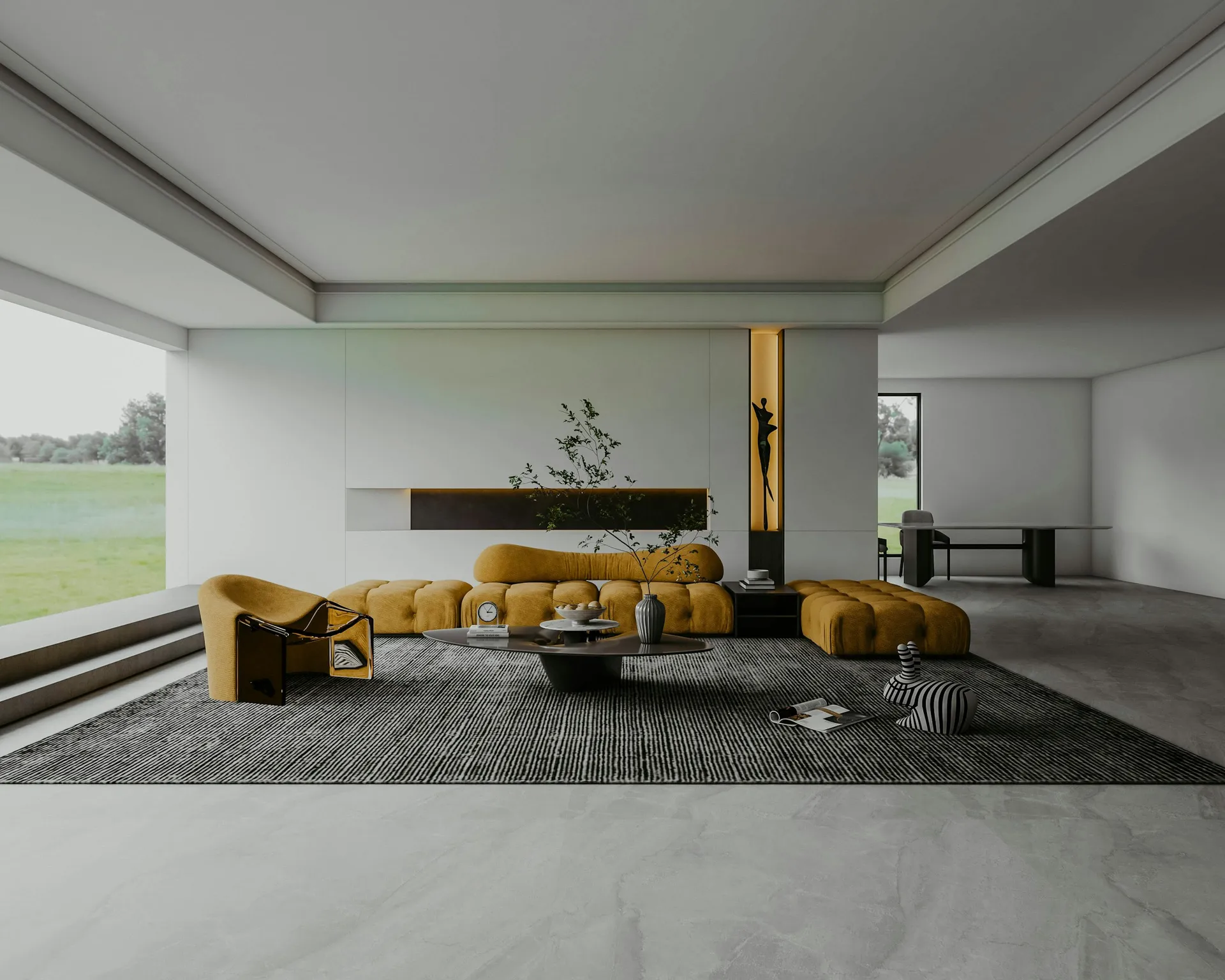
Short answer: a 3D interior design rendering is a realistic image of your home as designed, produced before any work starts. It helps you spot problems with layout, proportions, storage, lighting and colour while changes still cost nothing, and it helps everyone in the household agree on the same picture. It is a preview rather than a guarantee: actual light, real material textures and on-site decisions can change the result, so use renders alongside drawings, samples and a written material list.
What a 3D render is, and what it is not
Designers usually produce several kinds of visuals:
- Mood board: a collage of colours, materials and reference images that sets the direction.
- 2D floor plan: the layout seen from above, with furniture, carpentry and dimensions.
- Elevations and detail drawings: the measured views a carpenter or contractor builds from.
- 3D render: a realistic view from a chosen angle, showing materials, colours and lighting together.
The render is the easiest to understand, but the drawings are what get built. A good set of designs uses both.
Why see your home in 3D before you sign
CASE's homeowner guidebook recommends using 3D design tools, showrooms and sample mock-ups to visualise materials and finishes while you finalise your design, and using visual aids such as drawings, samples and mock-ups to communicate your preferences accurately. In practice, a render helps you:
- Check proportions. Is the sofa too big for the wall? Does the full-height wardrobe make the bedroom feel narrow?
- Check circulation. Can two people pass in the kitchen? Does the dining chair hit the shoe cabinet?
- Test colour and material combinations. A laminate that looks fine as a small chip can feel heavy across a whole wall.
- Place lighting and power points. Seeing the TV wall, desk and bedside in 3D makes it easier to decide where switches and sockets go.
- Agree as a household. Couples and families often imagine different things from the same floor plan.
- Avoid variation orders. Every change made on screen is a change not made on site. Our guide to variation orders explains why late changes cost more.
What renders cannot tell you
Qanvast, comparing renders with finished homes, found that the end result is often close, but highlighted the usual reasons for differences: material availability, actual on-site lighting, budget adjustments and last-minute decisions. In one project, a lighter wood replaced the darker shade in the render. In others, natural light and real textures softened the contrasts, and lighting and power point positions were adjusted on site.
So keep in mind:
- Lighting is idealised. Renders are often lit to look their best. Ask to see a view at a different time of day if light matters to you.
- Colours on screen vary. Always approve materials from physical samples, not from the image.
- Loose furniture is a suggestion. Unless you are buying the exact pieces shown, the room will look different.
- Renders can hide dimensions. A wide-angle view can make a room look larger than it is.
How to get the most out of a 3D render
- Ask for the floor plan with every view, so you know where the "camera" is standing.
- Check the dimensions against site measurements, especially for flats you have not collected yet.
- Use real appliance and furniture sizes for anything you already own or have chosen.
- Request views that matter day to day: the view from the main door, the kitchen work area, the wardrobe wall.
- Match every finish to a material code that appears in the quotation.
- Agree in writing how many views and revision rounds are included, and whether 3D work is charged separately. CaseTrust's criteria require accredited firms to disclose charges such as 3D drawings upfront.
When 3D is most worth it
Not every room needs a render, but these usually do:
- Layout changes, such as an open kitchen or combining two rooms, where you need to see how the space flows before applying for permits.
- Carpentry-heavy rooms, where wardrobes, TV walls and study tables take up a lot of wall and floor.
- Kitchens, to check worktop length, appliance positions and how the cabinets meet the ceiling.
- Small rooms, where a few centimetres decide whether a bed, desk or sofa fits comfortably.
- Mixed materials, where several laminates, tiles and paint colours meet in one view.
Renders, quotations and contracts
A render is not a specification. What protects you is the link between the design and the paperwork: attach the drawings to the contract, list materials and finishes line by line, and make sure the quotation prices exactly what the renders show. Our guides on comparing quotations and the renovation contract checklist explain how.
Questions to ask before paying for design
- Will I see 3D views before I pay a renovation deposit?
- How many views, and how many rounds of changes, are included?
- Can I take the drawings to other contractors for quotes?
- Will the quotation reference the same materials and finishes shown in the renders?
How JIAHOME works
3D is the core of what we do. We design your home first for a fixed fee, with mood boards, 2D layouts and up to 10 3D views, and up to 3 rounds of major changes. You see the design before you pay any renovation deposit, then receive a quotation listing every item without prices so any contractor can price the same scope. See our packages or book a free consultation.
FAQ
Frequently asked questions
How accurate are 3D interior design renders?
They can be very close to the finished home, but Qanvast notes differences from material availability, actual on-site lighting, budget changes and last-minute decisions. Approve materials from physical samples.
Should I see 3D renders before signing a renovation contract?
Ideally yes. Seeing the design first lets you fix layout, proportion and colour problems on screen instead of paying for variation orders on site.
Do interior designers charge for 3D renders?
Practices differ. CaseTrust-accredited firms must disclose additional charges such as 3D drawings upfront, so ask what is included before you commit.
Is a 3D render the same as a design drawing?
No. A render shows how the space will look, while floor plans, elevations and detail drawings show what will be built and to what dimensions. You need both.


Find your style